Keeping Putty session alive:
- Open Putty from the desktop
- Go to Connections under Category:
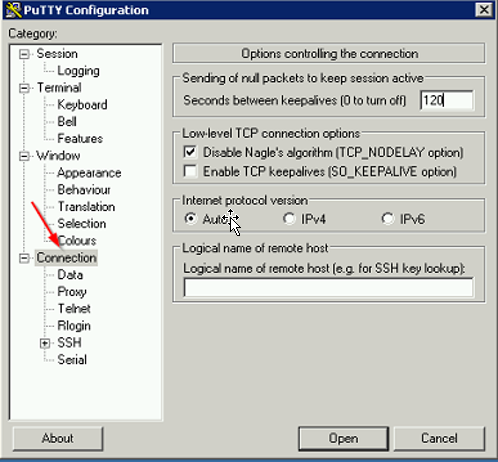
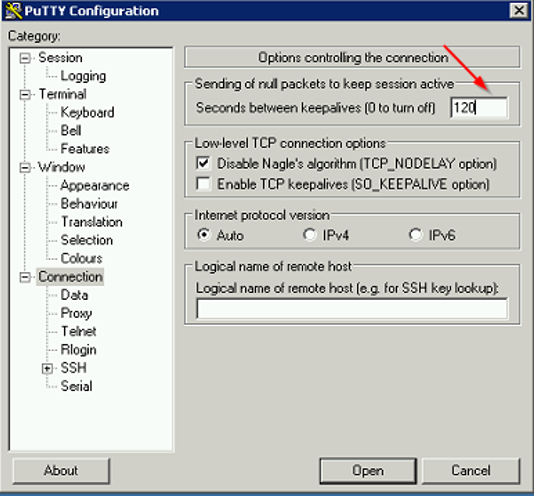
- On the right-hand side under “Options controlling the connection“enter 120 for “Seconds between keepalives (0 to turn off)” option.
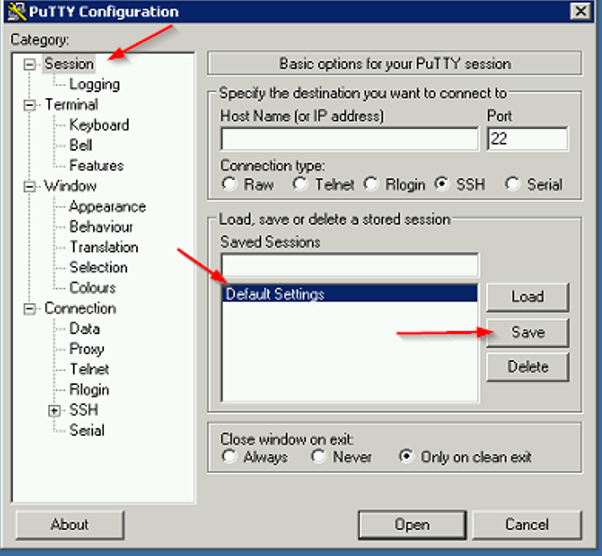
- Click on Session under Categoryà Select “Default Settings” under Saved Sessions and click on Save.
Comments